Your interface language is the language you are learning Meanings and translations appear in the interface language, so they would only repeat the words. Switch the interface to a different language to look up words, translate sentences and see the meanings of your saved words.
Change interface language 0:00 Translator : Joseph Geni Reviewer : Morton Bast
0:12 I've noticed something interesting about society and culture .
0:15 Everything risky requires a license .
0:17 So , learning to drive , owning a gun , getting married .
0:26 That's true in everything risky , except technology .
0:30 For some reason , there's no standard syllabus ,
0:32 there's no basic course .
0:34 They just sort of give you your computer and then kick you out of the nest .
0:38 You're supposed to learn this stuff - - how ?
0:42 Nobody ever sits down and tells you , " This is how it works . "
0:45 So today I'm going to tell you ten things
0:48 that you thought everybody knew , but it turns out they don't .
0:51 First of all , on the web , if you want to scroll down ,
0:54 don't pick up the mouse and use the scroll bar .
0:56 That's a terrible waste of time .
0:58 Do that only if you're paid by the hour .
1:00 Instead , hit the space bar .
1:02 The space bar scrolls down one page .
1:05 Hold down the Shift key to scroll back up again .
1:08 So , space bar to scroll down one page ; works in every browser ,
1:11 in every kind of computer .
1:13 Also on the web , when you're filling in one of these forms like your addresses ,
1:16 I assume you know that you can hit the Tab key
1:18 to jump from box to box to box .
1:20 But what about the pop - up menu where you put in your state ?
1:23 Don't open the pop - up menu .
1:25 That's a terrible waste of calories .
1:27 Type the first letter of your state over and over and over .
1:31 So if you want Connecticut , go , C , C , C .
1:33 If you want Texas , go T , T , and you jump right to that thing
1:36 without even opening the pop - up menu .
1:39 Also on the web , when the text is too small ,
1:42 what you do is hold down the Control key and hit plus , plus , plus .
1:45 You make the text larger with each tap .
1:48 Works on every computer , every web browser ,
1:51 or minus , minus , to get smaller again .
1:53 If you're on the Mac , it might be Command instead .
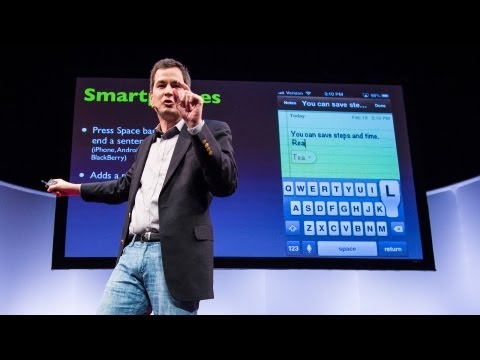
1:55 When you're typing on your Blackberry , Android , iPhone ,
1:59 don't bother switching layouts to the punctuation layout
2:02 to hit the period and then a space ,
2:04 then try to capitalize the next letter .
2:06 Just hit the space bar twice .
2:08 The phone puts the period , the space , and the capital for you .
2:13 It is totally amazing .
2:15 Also when it comes to cell phones , on all phones ,
2:18 if you want to redial somebody that you've dialed before ,
2:22 all you have to do is hit the call button ,
2:25 and it puts the last phone number into the box for you ,
2:28 and at that point you can hit call again to actually dial it .
2:31 No need to go to the recent calls list if you're trying to call somebody
2:35 just hit the call button again .
2:36 Something that drives me crazy :
2:38 When I call you and leave a message on your voice mail ,
2:41 I hear you saying , " Leave a message , "
2:42 and then I get these 15 seconds of freaking instructions ,
2:46 like we haven't had answering machines for 45 years !
2:56 So it turns out there's a keyboard shortcut
2:58 that lets you jump directly to the beep like this .
3:00 Phone : At the tone , please . . .
3:03 David Pogue : Unfortunately , the carriers didn't adopt
3:05 the same keystroke , so it's different by carrier ,
3:08 so it devolves upon you to learn the keystroke
3:11 for the person you're calling .
3:14 I didn't say these were going to be perfect .
3:16 So most of you think of Google
3:18 as something that lets you look up a web page ,
3:20 but it is also a dictionary .
3:22 Type the word " define " and the word you want to know .
3:24 You don't even have to click anything .
3:26 There's the definition as you type .
3:28 It's also a complete FAA database .
3:30 Type the name of the airline and the flight .
3:32 It shows you where the flight is , the gate , the terminal ,
3:35 how long until it lands .
3:36 You don't need an app .
3:38 It's also unit and currency conversion .
3:40 Again , you don't have to click one of the results .
3:42 Just type it into the box , and there's your answer .
3:45 While we're talking about text - -
3:47 When you want to highlight - -
3:50 this is just an example - -
3:53 When you want to highlight a word ,
3:56 please don't waste your life dragging across it
3:59 with the mouse like a newbie .
4:00 Double click the word .
4:02 Watch " 200 " - - I go double - click ,
4:04 it neatly selects just that word .
4:05 Also , don't delete what you've highlighted .
4:08 You can just type over it .
4:09 This is in every program .
4:11 Also , you can go double - click , drag ,
4:13 to highlight in one - word increments as you drag .
4:17 Again , don't bother deleting .
4:24 Shutter lag is the time between your pressing the shutter button
4:28 and the moment the camera actually snaps .
4:30 It's extremely frustrating on any camera under $ 1,000 .
4:38 So , that's because the camera needs time to calculate the focus and exposure ,
4:42 but if you pre - focus with a half - press ,
4:45 leave your finger down - -
4:49 You get it every time .
4:51 I've just turned your $ 50 camera into a $ 1,000 camera with that trick .
4:55 And finally , it often happens that you're giving a talk ,
4:58 and for some reason , the audience is looking at the slide
5:05 So when that happens - - this works in Keynote , PowerPoint ,
5:08 it works in every program - - all you do is hit the letter B key ,
5:11 B for blackout , to black out the slide , make everybody look at you ,
5:15 and then when you're ready to go on , you hit B again ,
5:17 and if you're really on a roll , you can hit the W key for " whiteout , "
5:22 and you white out the slide ,
5:23 and then you can hit W again to un - blank it .
5:26 So I know I went super fast .
5:28 If you missed anything , I'll be happy to send you the list of these tips .
5:31 In the meantime , congratulations .
5:33 You all get your California Technology License .